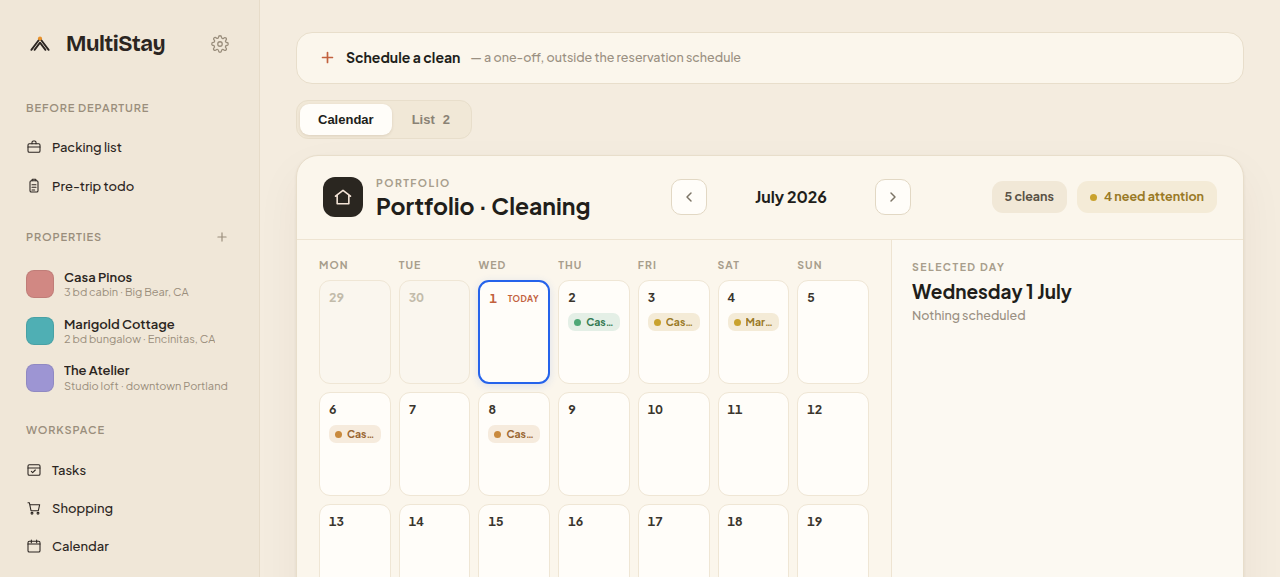
Guest checks out at 11am; the clean is already on the calendar. Assign a cleaning company, hand cleaners their checklist, review the photos and approve — turnovers run without you chasing anyone.
Every checkout creates its turnover automatically. From there it's assign, do, verify, approve — with a clear trail at each step.
One clean is created for every departure — never forgotten, never double-booked. The turnover is on the calendar the moment the stay is.
Hand the job to a cleaning company or an individual cleaner. They accept or decline, so you always know it's covered.
Cleaners follow a checklist and upload photos as they go — so "done" comes with proof, not just a tick.
Review the finished clean and approve it. Nothing is marked complete — or paid — until you're happy.
Cleaner payouts settle by bank transfer once you approve — one clean, one payment, no accidental double-pay.
See every scheduled clean across every property on one calendar — spot a tight same-day turnover before it becomes a problem.
Cleaning companies and their cleaners get their own login — not the whole app, just the jobs that matter to them. Accept, follow the checklist, upload photos, get paid.
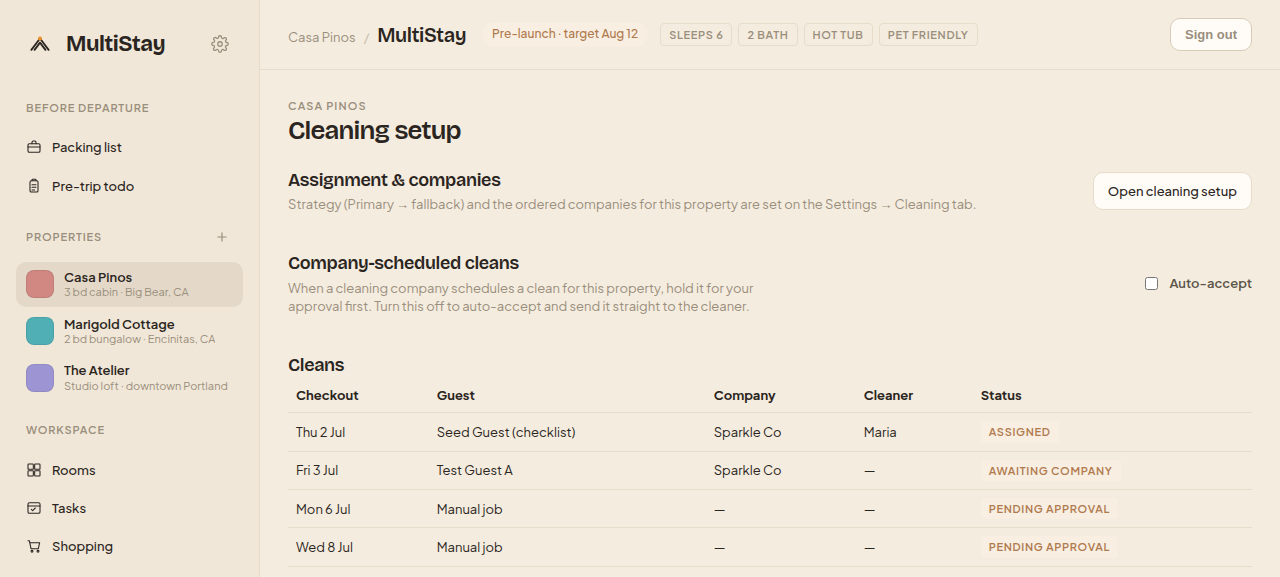
No. A turnover clean is created automatically for every checkout, so it's on the calendar without anyone remembering to add it.
Cleaning companies and cleaners are invited by magic link and log in to a focused dashboard that shows only their jobs and checklists — never the full app.
Once you approve a completed clean, the cleaner's payout is sent by bank transfer. Each clean settles once, with a stable key so nobody is paid twice.
Yes. Cleans can be held for owner approval — you review the photo-verified checklist and sign off before it's marked complete and paid.
Connect your first property in minutes — no card, no lock-in.